- On sale!
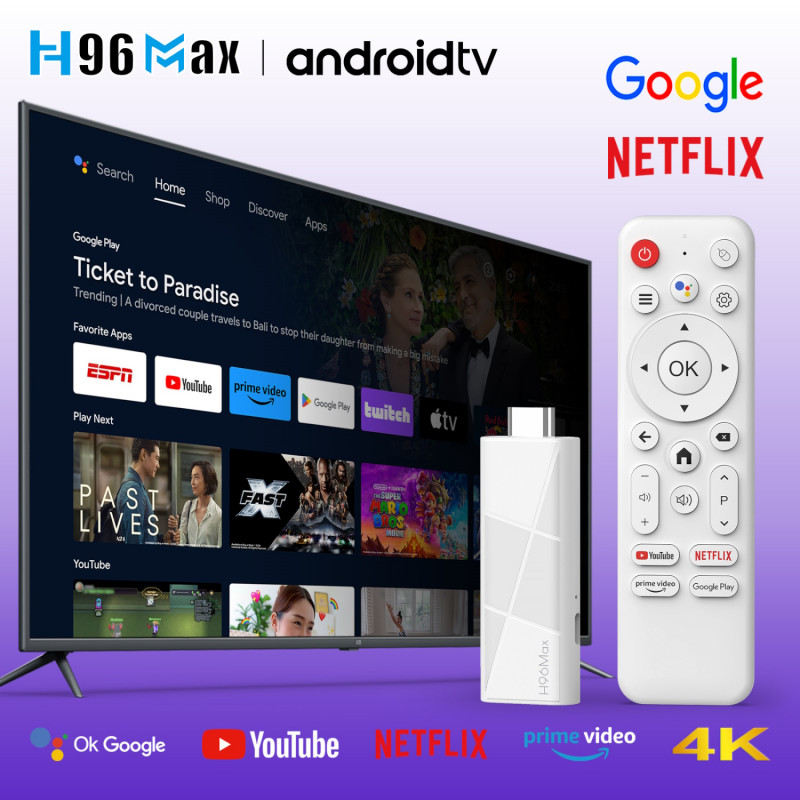


The H96Max 4K Smart TV Box is equipped with Android 14.0. It is easy to use, supports voice search, and offers a huge selection of content for the whole family.
The H96Max 4K Smart TV Box is equipped with Android 14.0. It is easy to use, supports voice search, and offers a huge selection of content for the whole family.
Media player: Stream TV, series, and movies to your television. No matter which internet provider you use, you have a free choice of over one million available Android apps in the Play Store (Android Market).
Simply install your favorite app. Even unavailable apps can be installed manually via an APK file.
CPU: Quad-Core ARM Cortex-A53
GPU: ARM Mali-450 GPU
RAM: 2 GB
ROM: 16 GB
WLAN: WLAN 802.11a/b/g/n/ax
Bluetooth: Bluetooth 5.4
I/O: HD support up to 4K
USB: 1 x USB 2.0
Power supply: 5 V/1 A
Operating system: Android 14.0
Video: Supports frame timeout interrupt, frame finish interrupt, and bitstream error interrupt
- Error detection and masking for all video formats
- Output data format YUV420 semiplanar, YUV400 (monochrome), YUV422 supported by H.264
- H.264/AVC BP/MP/HP profile @ Level 5.1; H.264/AVC MVC: up to 4K x 2K @ 60 fps
- H.265/HEVC Main/Main10 profile @ Level 5.1 High-Tier; up to 4K x 2K @ 60 fps
- AVS2 4K x 2K @ 60 fps
- MPEG-1, Main profile, up to 1080p @ 60 fps
- MPEG-2, SP @ ML, MP @ HL, up to 1080p @ 60 fps
- MPEG-4, ASP profile @ Level 5, up to 1080p @ 60 fps
- AVS, Jizhun profile @ Level 6.0; Up to 1080p at 60 fps
- AVS-P16 (AVS+), up to 1080p at 60 fps
- H.263, up to 576p / 60 fps
- VC-1, SP/ML, MP/HL, AP/L0-3, up to 1080p / 60 fps
- Supports video encoder for H.264, HP/Level 4.2
- H.264 maximum frame rate: up to 1920 x 1080 / 60 fps
- Encoding with HEVC Main Profile / L4.1 High-Tier possible
- H.265 resolution and frame rate: up to 1920 x 1080 / 60 fps
- JPEG encoder included
Audio: Supports MP3, AAC, WMA, RM, FLAC
Image: HD JPEG, BMP, GIF, PNG TIF
Language: Multilingual
Applications
Online: Browse all video websites, supports Netflix, Hulu, Flixster, YouTube, etc.
Apps: Free app download from the Android Market, etc.
Media: Local media playback, supports hard drive, USB flash drive
Online Chat: Supports Skype video calls, MSN, Facebook, Twitter, QQ, etc.
Other: Supports email, Office applications, etc.
DLNA Function
2.4G Wireless Mouse/Keyboard
Packaging
Product Dimensions (W x H x L): 86.2 mm x 30.6 mm x 13.3 mm
Weight (each): 29.8 g
Packaging (W x H x L): 150 mm x 99 mm x 43 mm
Packaging (each): 173 g
Accessories:
HD cable *1
BT remote control *1
User manual *1
Packaging *1
Power cord *1
--Note--
Remote control defective?
Replace the remote control battery with a new one, ensuring correct polarity.
Make sure the remote control is within range of the TV box.
Go to the settings menu to unpair and re-pair the remote control.
Hold the remote control approximately 30 cm from the stick and simultaneously press the left and right buttons for about 10 to 20 seconds until the indicator light flashes.
The remote control will then connect to the stick.
Alternatively, you can use a USB mouse to navigate the menu and reset the stick to factory settings.
The screen will prompt you to pair the remote control.
Restore Factory Settings
1. Go to "Settings" and search for "Reset to Factory Settings."
2. Click on Factory Reset and confirm.
3. Wait until the device automatically returns to the home screen after restoring factory settings.
Feedback geben
Seitenleisten
Verlauf
Gespeichert
Specific References
The H96Max 4K Smart TV Box is equipped with Android 14.0. It is easy to use, supports voice search, and offers a huge selection of content for the whole family.